SEO
Can customers find our products with a photo?
By DongHyun Kim, Co-founder, CTO and COO · Last updated

At a café in Jalan Besar, a woman finishes her coffee and turns the cup over in her hands. It's handmade: speckled grey, with a small dip in the side where her thumb rests. She wants a set of four for her mother's birthday.
She doesn't ask the barista. She takes a photo of the cup and asks Google where to buy it.
Google shows her cups that look like it, and the shops that sell them. The potter who made it isn't one of them. Her website has that exact cup, in a small, dark photo, on a page called "Collection 3, item 12". Nothing on the page says what it is.
This is now an ordinary way to shop. On 28 October, Google's chief executive said Google handles more than 50 billion searches a month made with a picture rather than typed words. Back in 2024, when the number was nearer 20 billion, Google said about one in five of them was someone shopping.
Will Google show your products when someone searches with a photo?
It can, if your own website shows the product clearly and says in words what it is. Google matches the picture, then reads the page around it to learn what the thing is, what it costs and where to buy it. So use your own sharp photos, give each product its own page with its name and price, describe each photo in one line, and list your products with Google, which costs nothing in Singapore.
SEO is the work of getting your business found on Google. A search made with a photo is still a Google search, so this is SEO work too.
How Google reads a photo
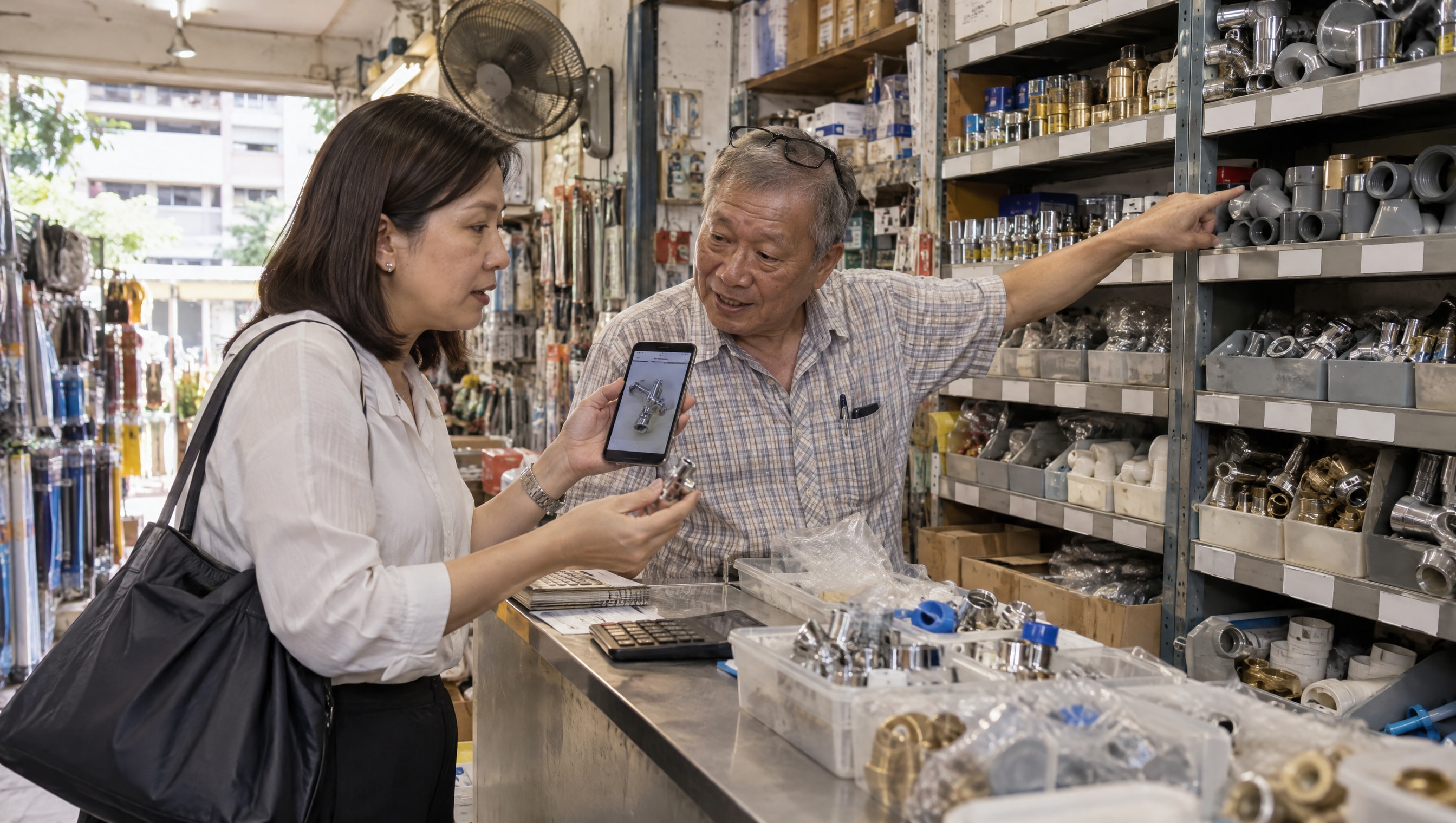
Think of showing a photo on your phone to the uncle at a hardware shop. He looks at it, then looks along his shelves. The label on each shelf tells him which box is the one you want. A shelf with no label, he walks straight past.
Google works the same way. Its own guide says it works out what a picture shows from the picture and from the words around it: the page's title, the text beside the photo, a caption, and a short line describing the photo itself. Even the file name is a small clue. Google's example is a picture called "my-new-black-kitten", which tells it more than one called "IMG00023".
So the photo gets you noticed. The words get you chosen.
Where these searches come from
Most people who search with a photo never think of it as searching. They see something, point their phone at it, and tap.
Google's own report on these searches counts four ways in. The camera button in the Google app, which Google calls Lens. Circling something on the screen of many Android phones. Uploading a picture to Google. And, in the Chrome browser, right-clicking a picture and choosing to search it.
The moments are everyday ones. A lamp in a friend's living room. A pair of shoes in someone's Instagram post. A tap part that broke and has no name on it. A cup at a café. Each one is a customer who already wants the thing, and only needs to know where to get it.

Do the photo check on your own products
It takes an evening, starting with the things you sell most. Each step says what good looks like.
- Search your best seller with a photo. Point the Google app's camera at it, or search a picture of it. Good: your own page comes up, with your price. Worth a closer look: another shop selling the same item comes up instead of you.
- Look at your photos as a stranger would. Use photos of your own product, sharp and well lit, with the product filling most of the picture. Google's rules for product listings suggest 75% to 90% of it. Good: a stranger could tell your cup from the one beside it. If you use the supplier's photos, so may every other shop selling the same thing.
- Keep the main photo clean. No "Sale", price or logo stamped across it, and no border. Google's product listing rules turn down a main picture with added text or logos, and ask for a separate picture of each colour. Put the offer in the words beside the photo instead.
- Give every product its own page. Its name the way a customer would say it ("handmade speckled stoneware cup"), its price, whether it's in stock, and each colour with its own photo. Good: one page per product. Not ten products in one picture, and not a product that only exists in an Instagram post.
- Describe each photo in one line. Most websites let you add a short description to every picture. It is also what people who cannot see the picture hear read aloud. Google calls it the most important detail you can add to an image. Write what it shows: "Speckled grey stoneware cup with a thumb rest". Stuffing it with search words can count against you. If you don't know where to add it, ask whoever looks after your website.
- List your products with Google. Google's product listings put your items, with photo, price and stock, in its search results, its image results and its photo searches, at no cost. Singapore is one of the countries where they work. You set them up in Google Merchant Center, and a Shopify store can send its products there with Google's own app. Good: your products approved, with the same price and stock as on your website.
- Look at the new report. Since 24 September, Google Search Console, Google's own tool for website owners, shows searches made with a picture. Open the Performance report and choose the search type Google labels multimodal, its word for these searches. Good: you can see which of your pages people found with a photo. If the list is empty, those searches aren't finding you yet.
Start with what people already ask you about
You don't need to redo the whole shop this week. Start with your best sellers and the things customers message you about most. Those are the products someone is most likely to photograph somewhere else and go looking for.
Fix their photos, their pages and the line describing each picture first. Then add them to Google's product listings. A month later, open the report again and see which pages people now reach with a photo.
Questions owners ask
Do I need a professional photographer?
Not usually. Daylight from a window, a plain background and a steady phone go a long way. Google's guide says sharp, clear pictures appeal to people more than blurry ones, so take a few and keep the clearest. Then add more angles after the main photo.
We have a shop but don't sell online. Does this matter?
Yes. Google can show what is in stock at your shop on your Business Profile, the listing people see on Google Maps, so a shopper searching for a product can see that you have it nearby. It is set up in the same place as the product listings.
Can we use product photos made with AI?
Yes, as long as each one shows the exact item you sell. Google's product listing rules ask that a picture made with AI keeps the label inside the file that says so. Start from photos of your real product, so what the customer receives looks like what they found.
Can an agency do this for us?
Yes. AI WISE is a Singapore-based digital marketing agency serving Asia. Our SEO work is pages that match what people search for, a site Google can read quickly, and other trusted sites linking to yours. For a business that sells products, that includes the searches people make with a photo: the product pages, the words around each picture, and the listings Google reads. You approve every page before it goes live. See how our SEO work runs.